⚠ Proof of concept — not for real use. v4call (and its sister projects nGate and IPFS-Gate) are proof-of-concept builds by independent builders, not production software. They are not safe to use and not recommended for general users — they are provided for developers who want to review the code and are willing to take the risks of an early, quickly-built concept. Treat everything as a demo, not a service.
This client defaults to the node.v4call.com node, a live development device that gets updated and restarted often. Point it at a different node any time from the login screen.
A restart while a call or escrow payment is in flight may cause errors that are still being worked on. Use at your own risk.
This site uses Google Analytics to count visits and help guide development. GA sets cookies in your browser. You can decline and still browse the page; analytics simply won’t load.
Your choice is remembered in one localStorage key
(v4call_consent). Clear it any time to see this prompt again.
⚠ Proof of concept — not for real use. Built by independent builders, not production software. Not safe to use and not recommended for general users; provided for developers who want to review the code and accept the risks. Treat it as a demo.
v4call is paid, end-to-end-encrypted voice, video, screen-share and chat that uses the Hive blockchain as a phonebook. Every message and call is signed and encrypted in your browser to the receiver’s public key — the server can’t read it, and the person on the other end has cryptographically proven they hold the private key for the username that contacted you.
This page is v4call-app — the client only. It
connects to node.v4call.com by default; see
Run your own to point it at a different
v4call-node.
Hive accounts come with key pairs. v4call uses the posting public key from the chain to encrypt messages; only the holder of the matching private key can decrypt. No phone numbers, no email.
You set a rate per call type. Anyone outside your allow-list pays your rate from escrow before they can ring you, invite you to a room or DM you. Refundable on missed call or decline.
Run your own client (this repo) against your own node — node.example.com — or anyone else's. Federate with other v4call nodes if you want, or stay local.
A Hive account costs 3 HIVE to register on-chain (this exists to slow down spam). There are several services that will create one for free; the one currently used for testing is signup.hive.io.
A hosted onboarding service called hive-gate is on the roadmap so that v4call operators can offer one-click signups to their users.
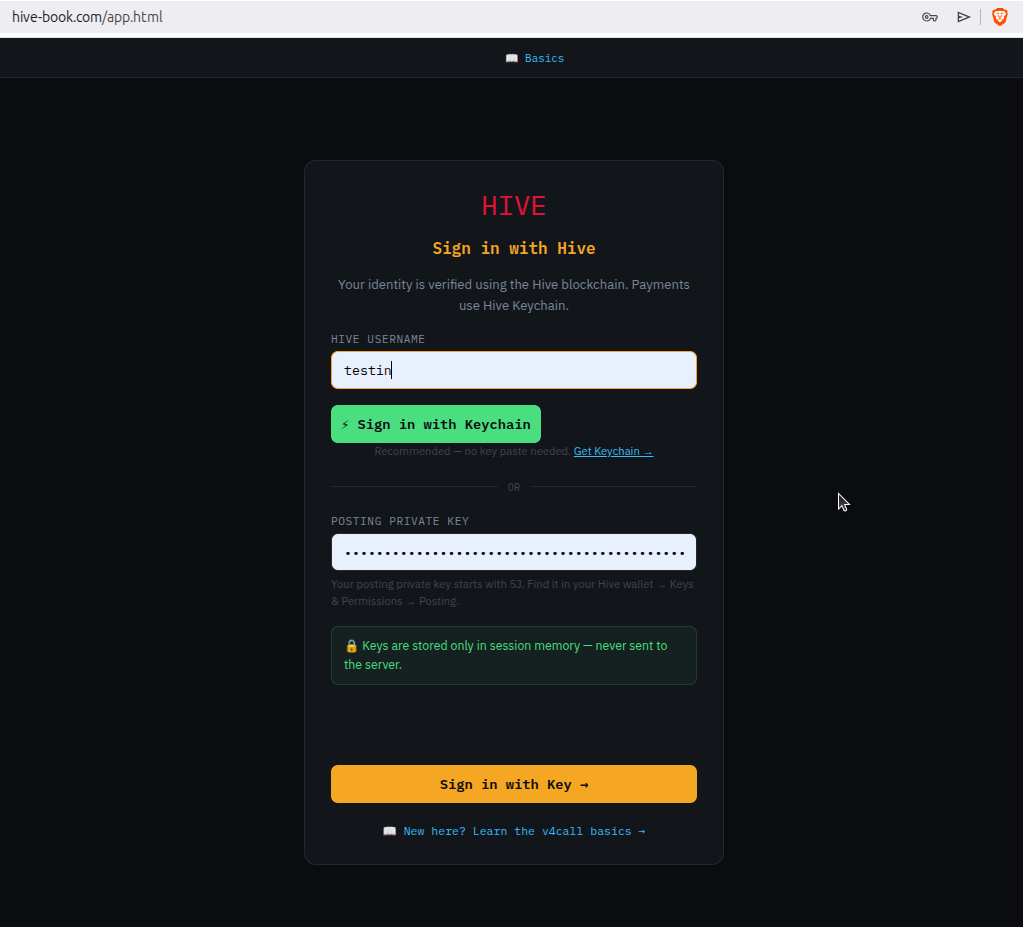
Log in with your Hive username and your posting private key. The posting key is the right level of authority for messaging — it cannot move funds.
The key stays in your browser’s memory for the session; it is used locally to decrypt incoming messages and to sign outgoing ones. The server never receives the private key.
After login you land in the lobby. The lobby is local to the node you logged in on; rooms, calls and DMs work across the federation.
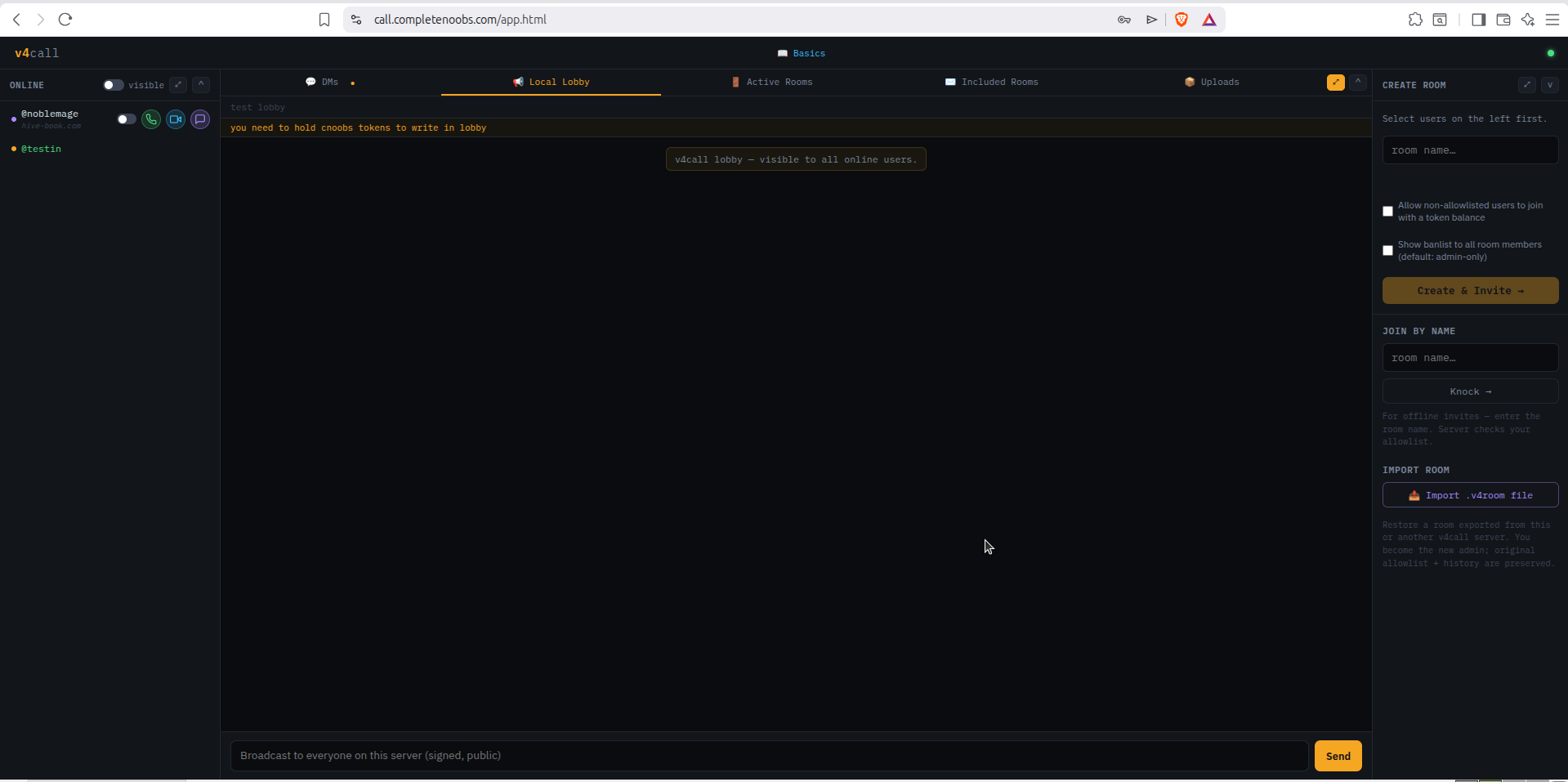
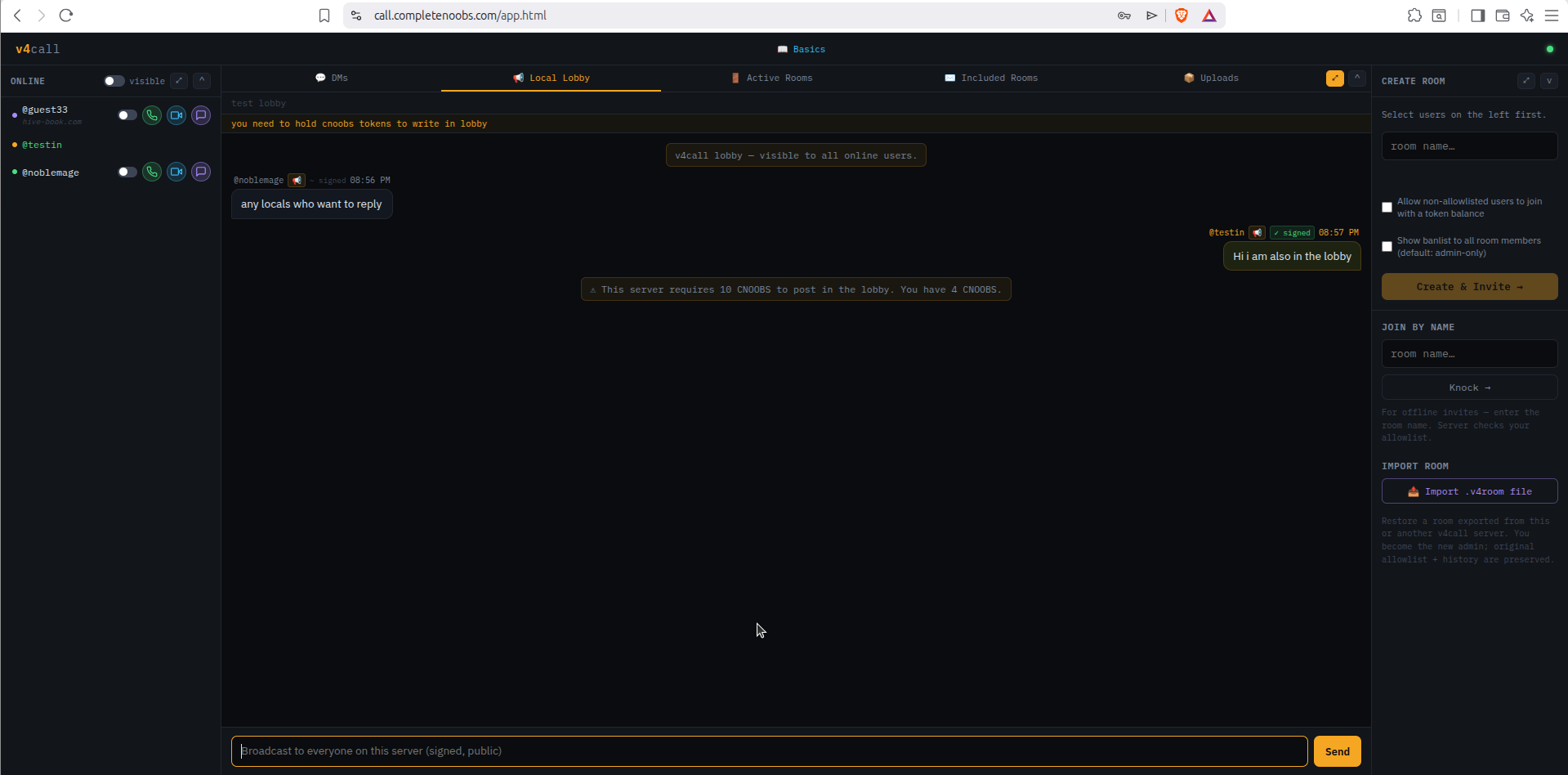
The lobby is a single public chat on each node. An admin can set conditions for posting — for example, “account must hold at least 10 CNOOBS tokens”. By design the lobby is local-only; it does not federate.
noblemage passes; testin (4 CNOOBS) does not.A room is ephemeral. If every user leaves, the room and its history are gone. Anyone joining later can only read messages that were encrypted to their key.
A room can be exported and later imported into a new room. Because the messages were encrypted per-user, a third party who imports the file still cannot decrypt anything that wasn’t addressed to them.
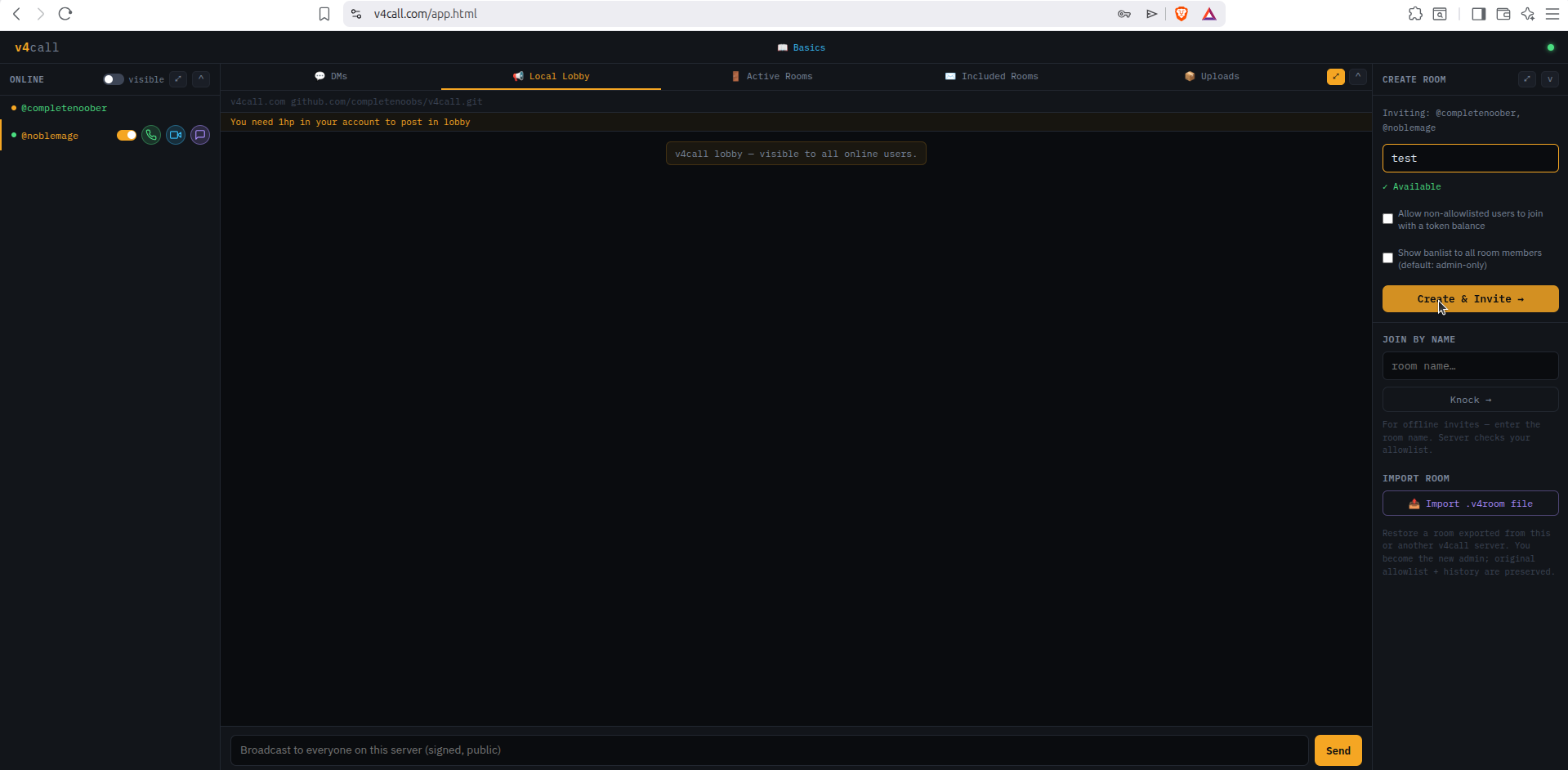
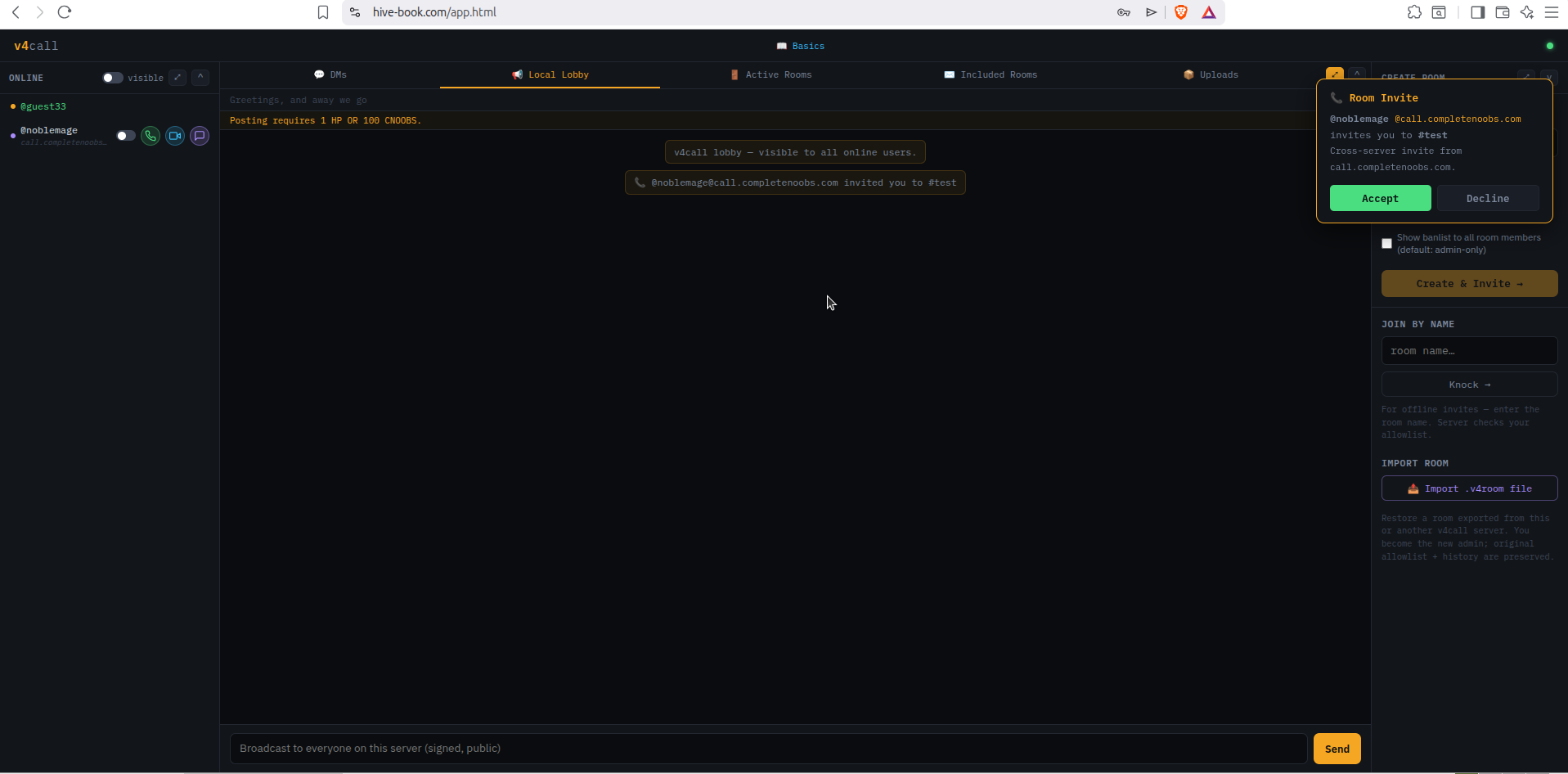
In the Create Room tab, enter a room name. If the name is available, toggle on at least one user from the online list (works across the federation) and click create and invite.
The invitee sees a simple accept/decline popup — no payment.
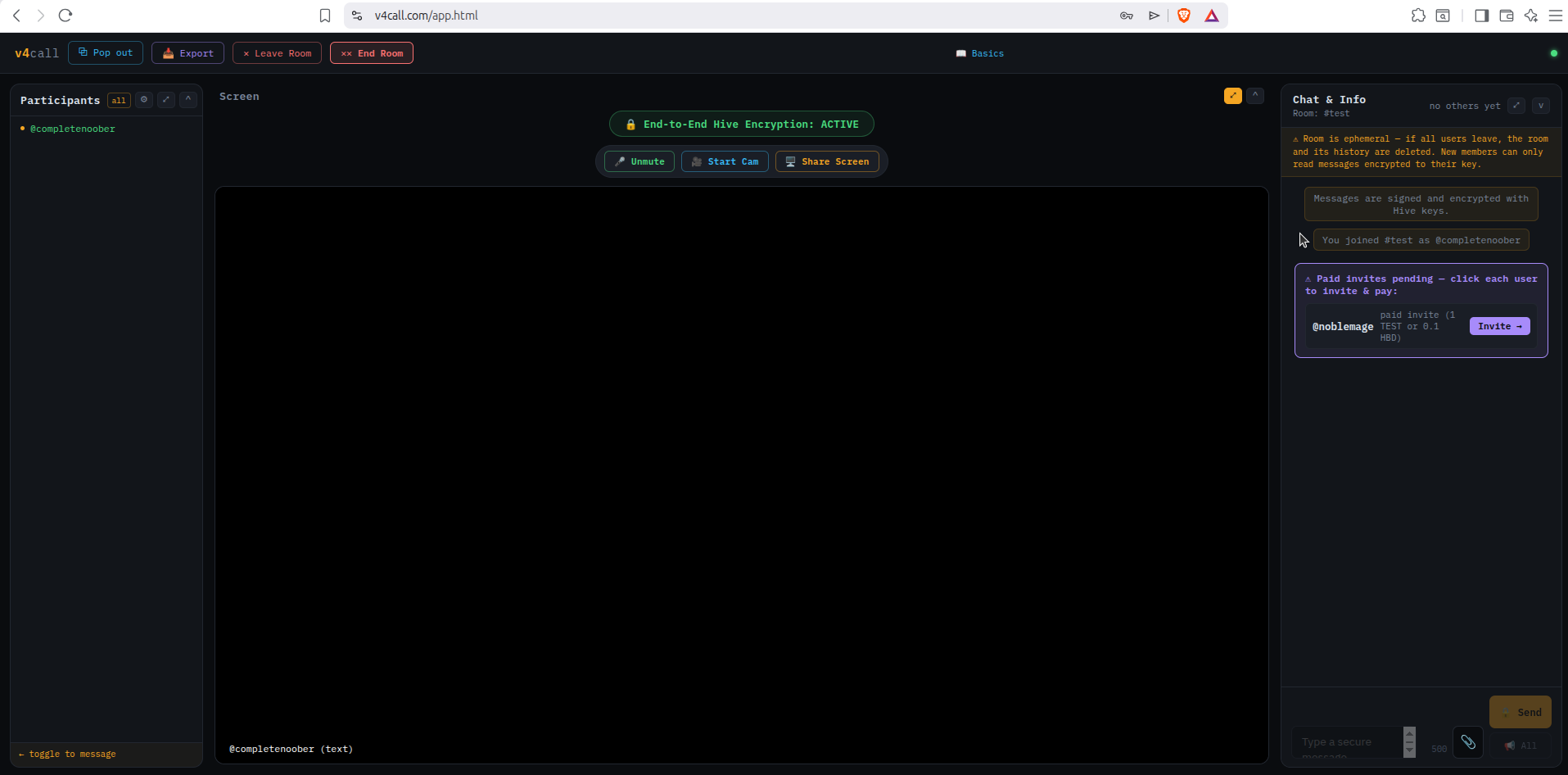
When a target user has an invite fee set, the chat & info box on the right shows an Invite button with the fee on it.
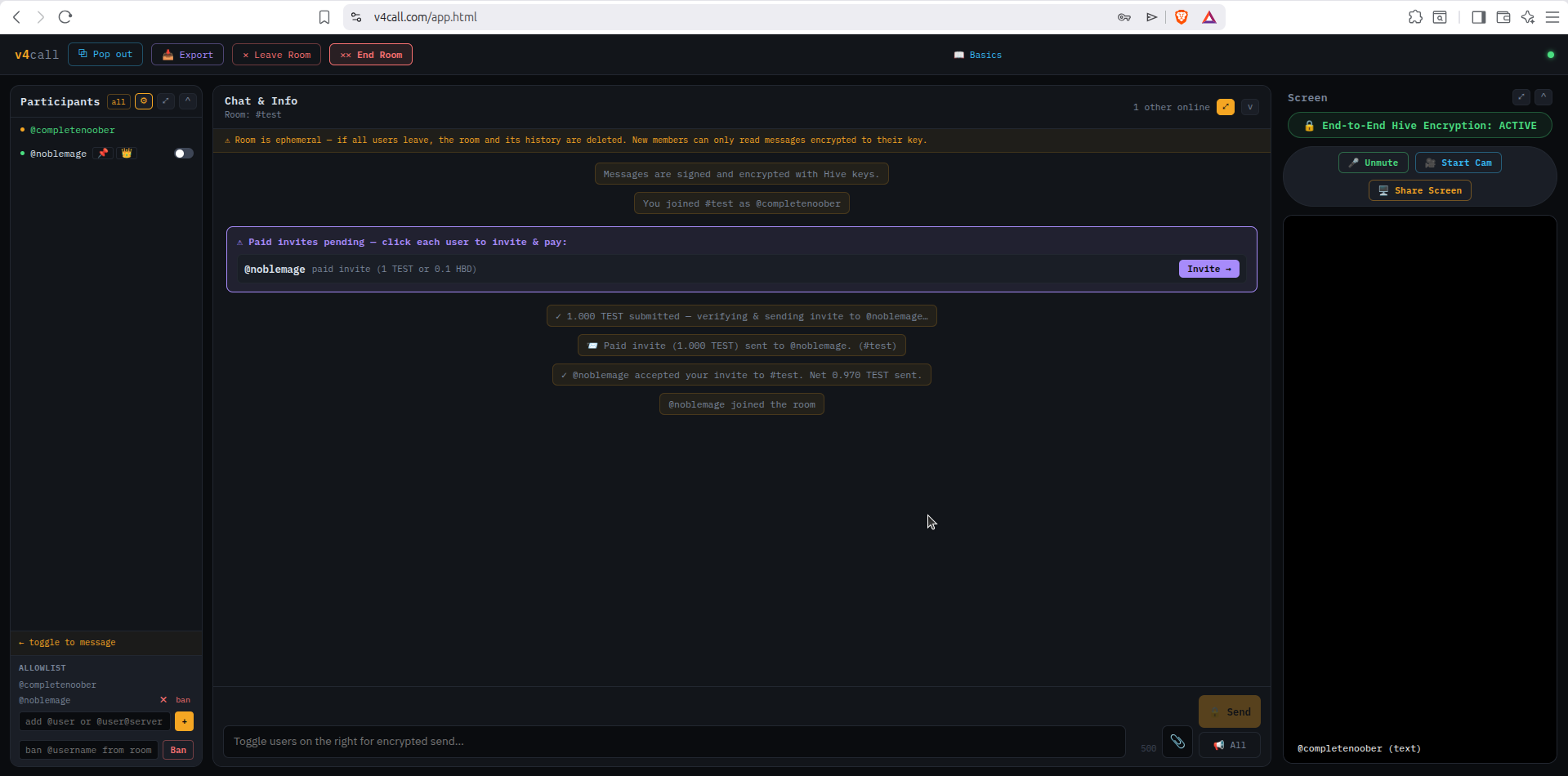
The same UI is easier to see in a wider room view. Look at the box at the bottom of the participants panel:
To invite a user that charges a fee, type their handle into that field:
@username — if they’re on the same node@username@server — if they’re on a federated node (e.g. @noblemage@hive-book.com)Press the invite button next to the field and a pay-for-invite popup will appear.
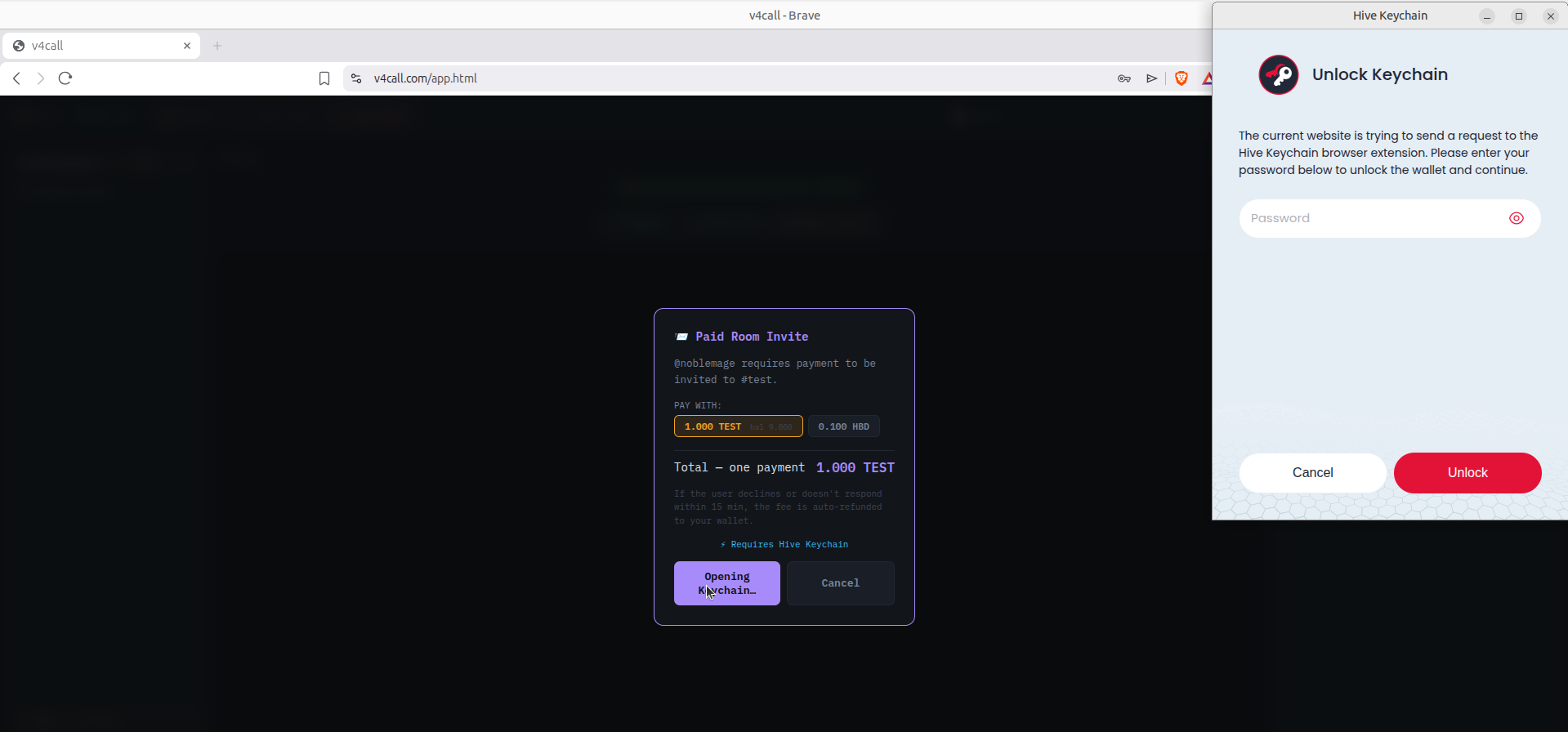
The popup lists the payment options the recipient accepts — e.g.
0.1 HBD or 1 TEST. Token options only appear
if you actually hold that token. Pick one, press
pay & invite, and Hive Keychain pops up to sign the payment.
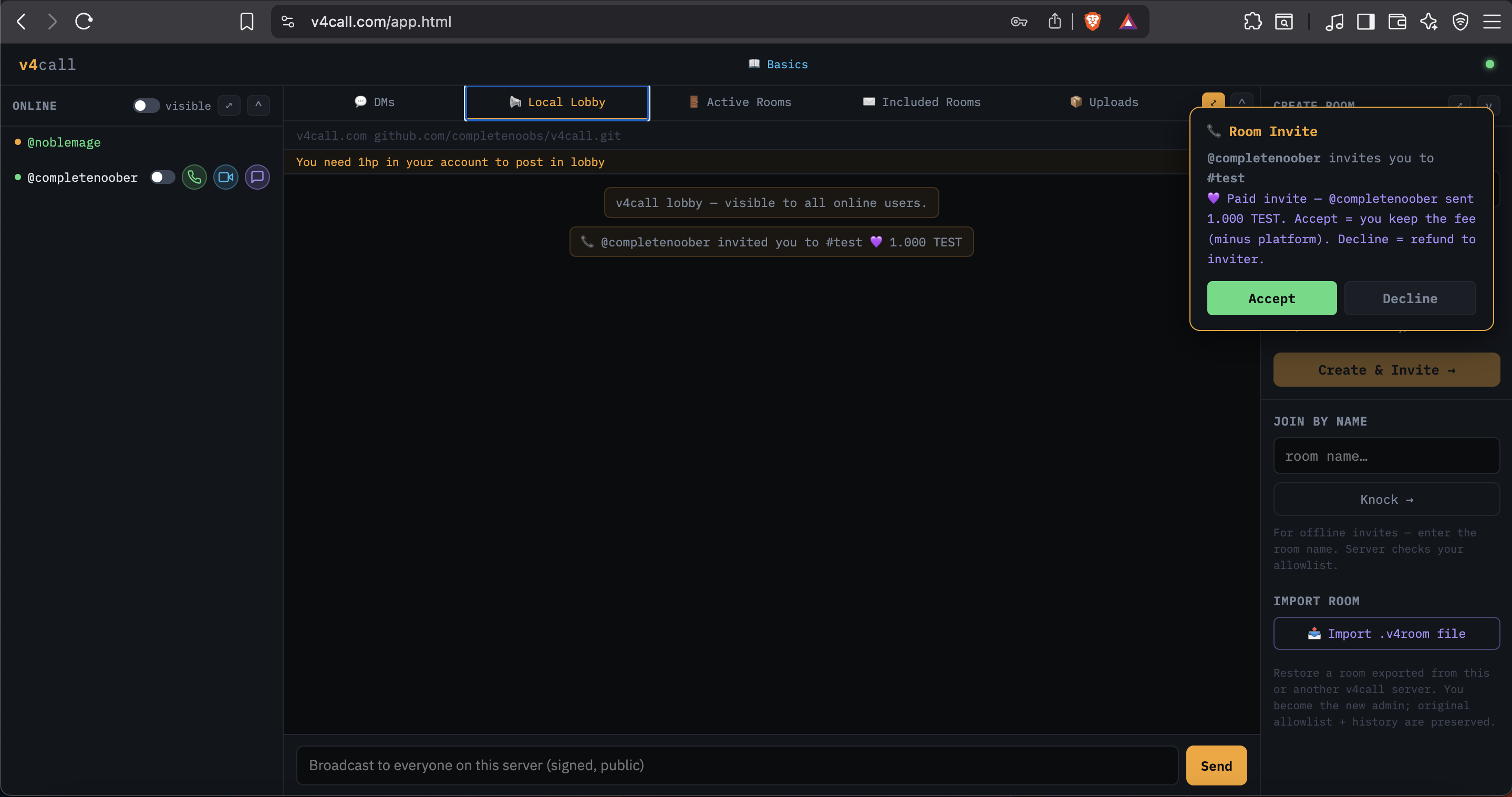
The invited user sees a paid-invite popup:
If they decline, the fee is refunded (a “decline and keep fee” option is on the roadmap). If they accept, they enter the room — and from there the Toggle/Send vs All encryption model from the callout above applies.
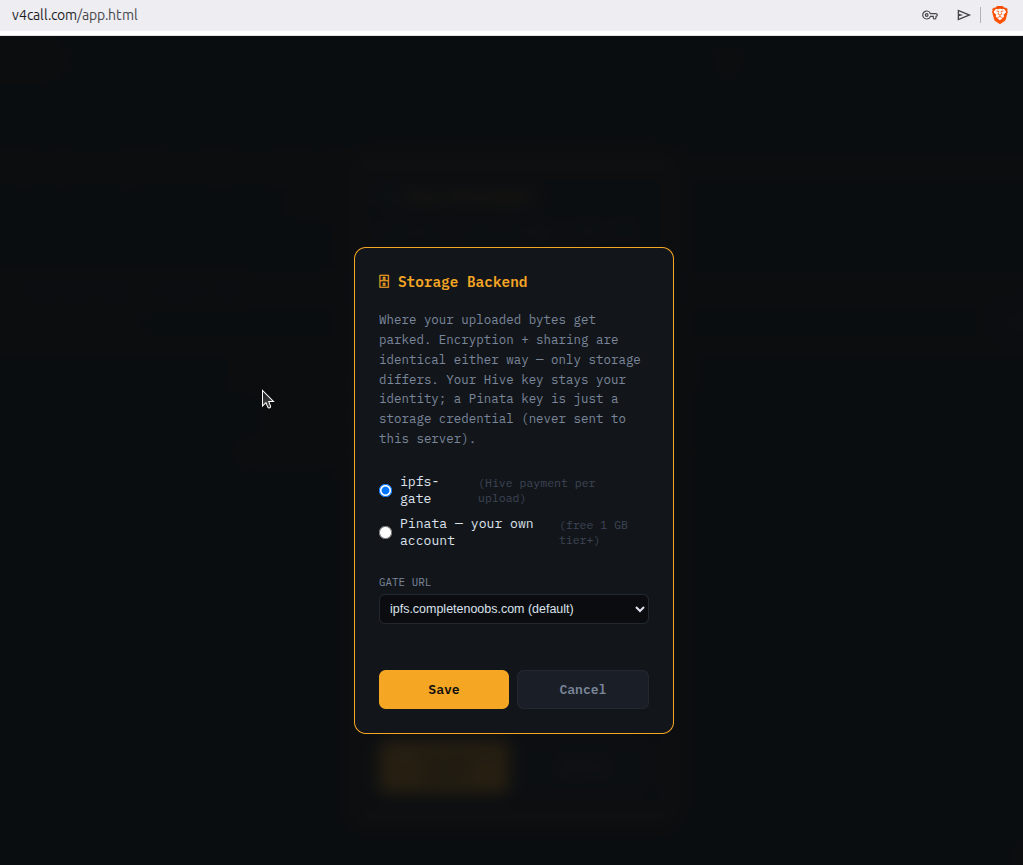
v4call itself does not store any files. User-to-user media (pictures, audio, video, text, PDFs) is uploaded to an IPFS pinning service that you choose. Today there are two compatible options: Pinata (easy, free 1 GB tier) and IPFS-Gate (self-hostable, Hive-payment-gated).
In the storage section, click change and pick the backend.
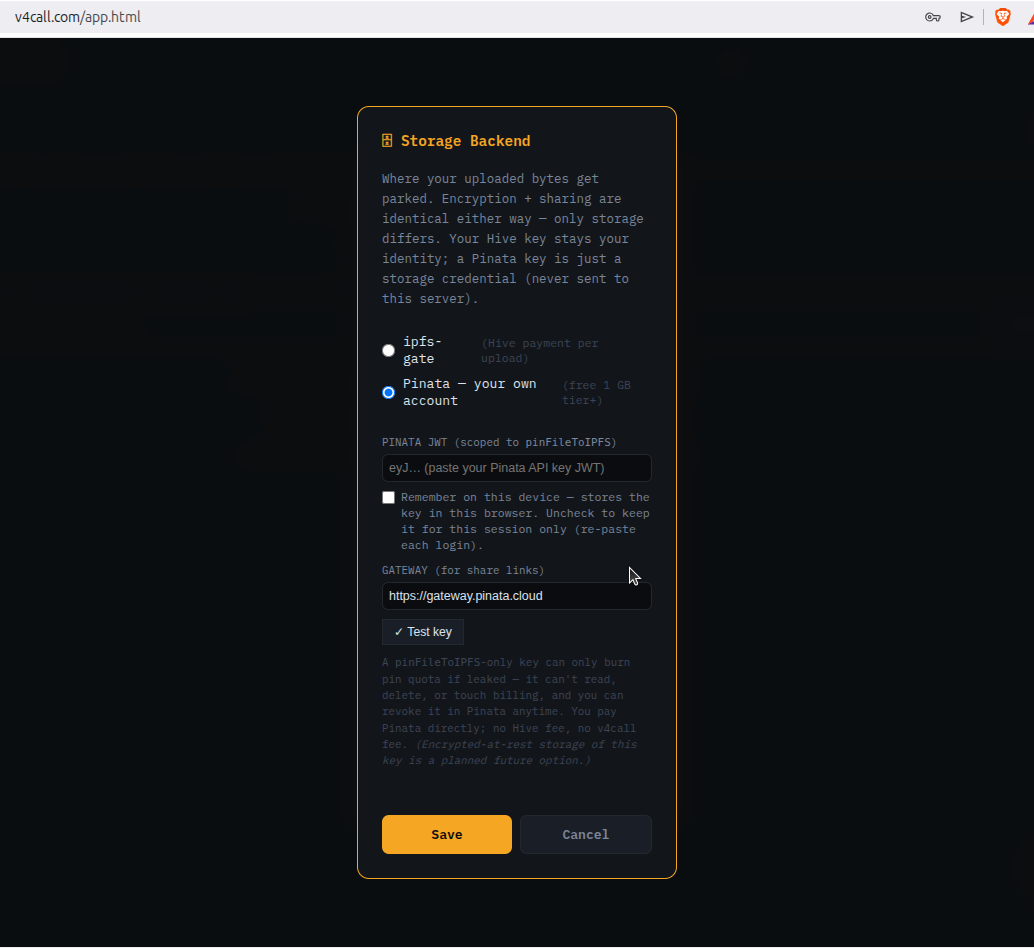
Pinata (pinata.cloud)
gives you a free 1 GB account. At
app.pinata.cloud/developers/api-keys
click + New Key, and under
Legacy Endpoints › Pinning tick pinFileToIPFS
— that’s the only permission you need to upload from v4call.
You will get a key triple that looks roughly like this:
API Key: 6caf48686e6f94f1234b API Secret: 434cf25ca73870d816154140748328849007092b325150f68074ec1d4e3cc1ae JWT: eyJhbGciOiJIUzI1NiIsInR5cCI6IkpXVCJ9.eyJ1c2VySW5mb3JtYXR...glvAaO_-8YTRb-5u4IEBU9bPskYyprJ9peqiKhU-jcY
Example only — this JWT has been revoked. Generate your own at pinata.cloud.
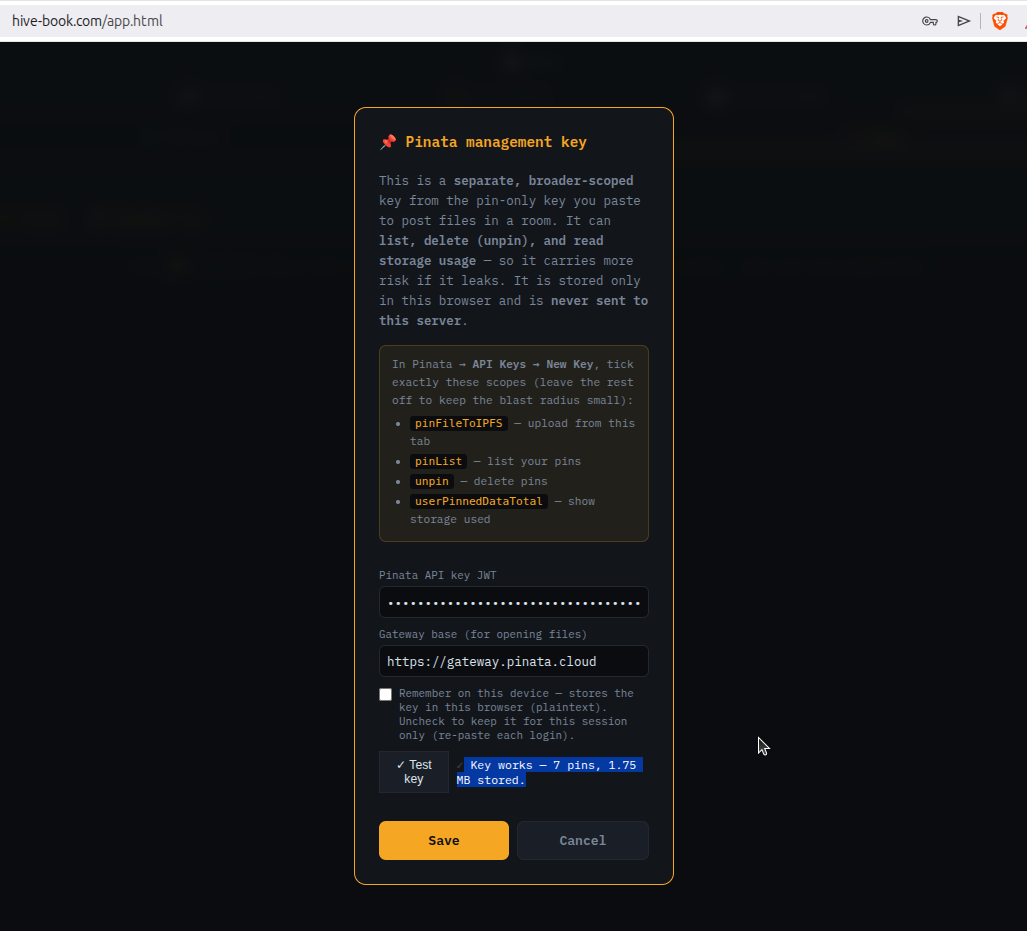
Paste your JWT into v4call and press test:
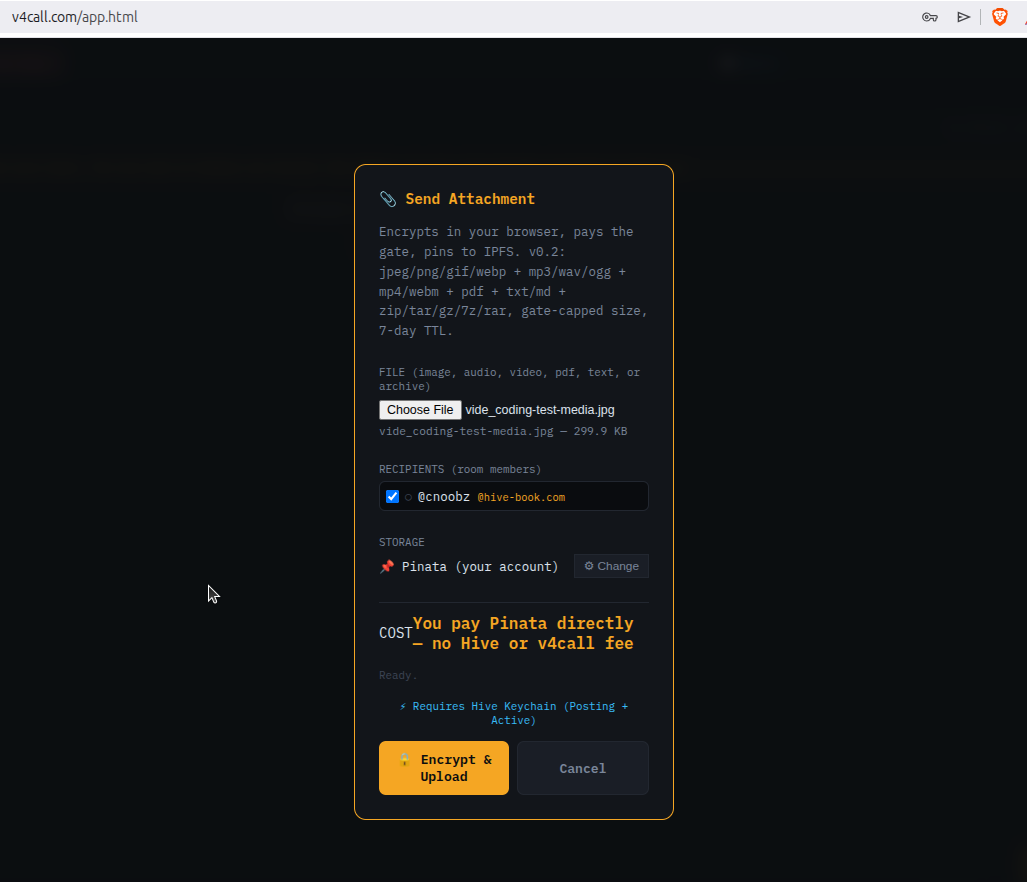
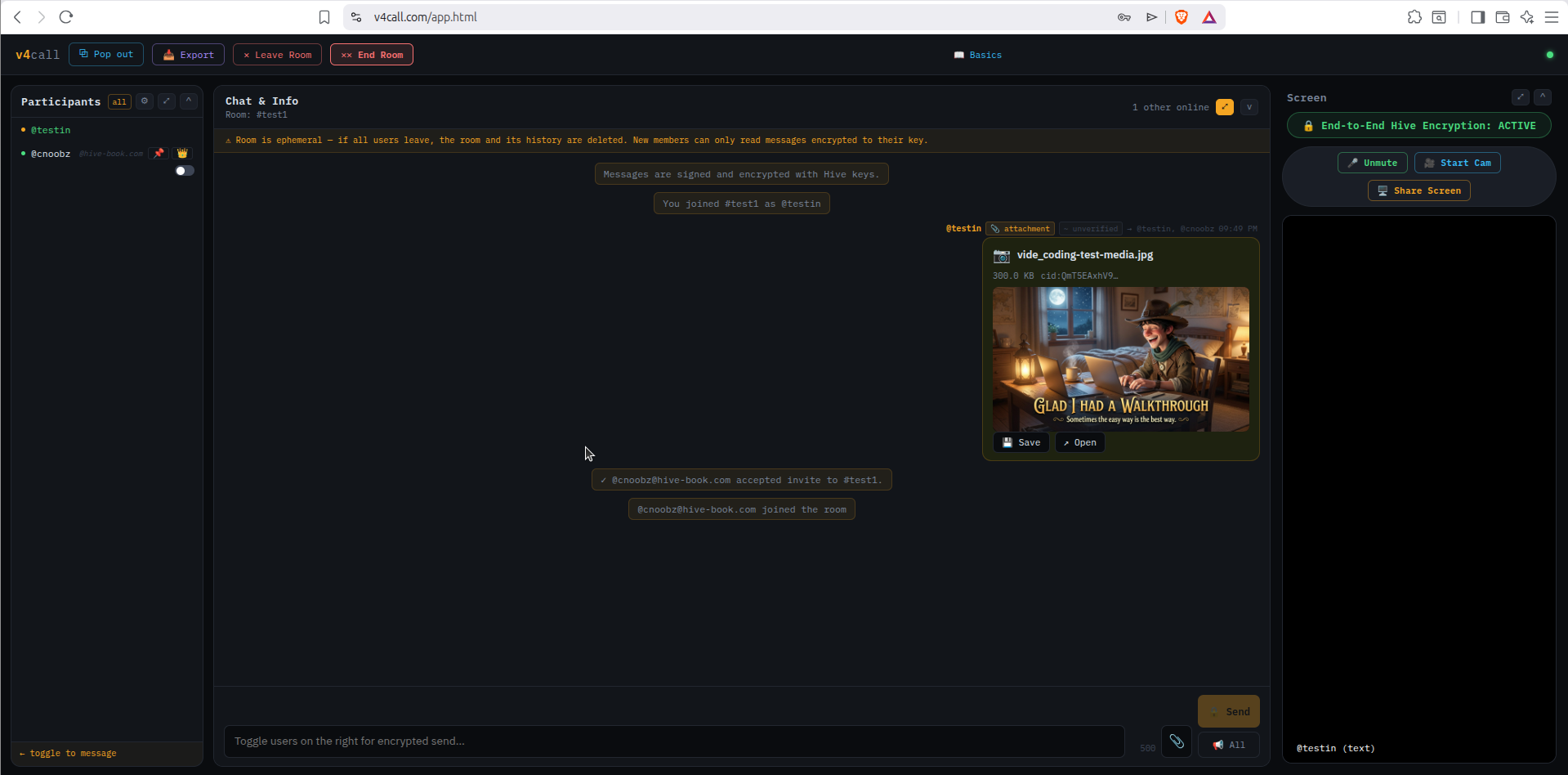
Once the JWT is set, uploading is one click: press Encrypt & Upload. As long as you have storage quota at Pinata, the file is encrypted in your browser, the ciphertext is uploaded, and a link is shared into the room.
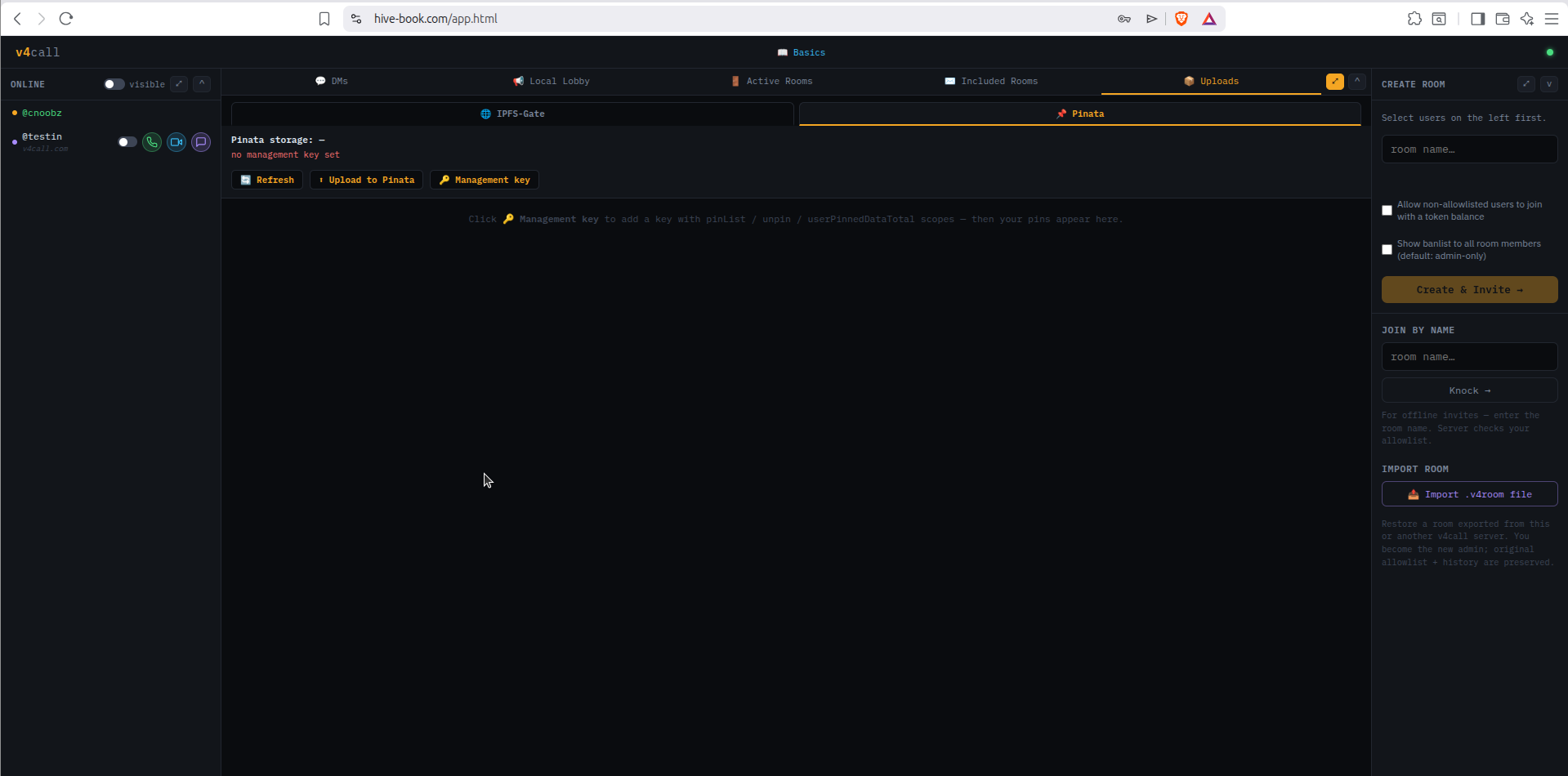
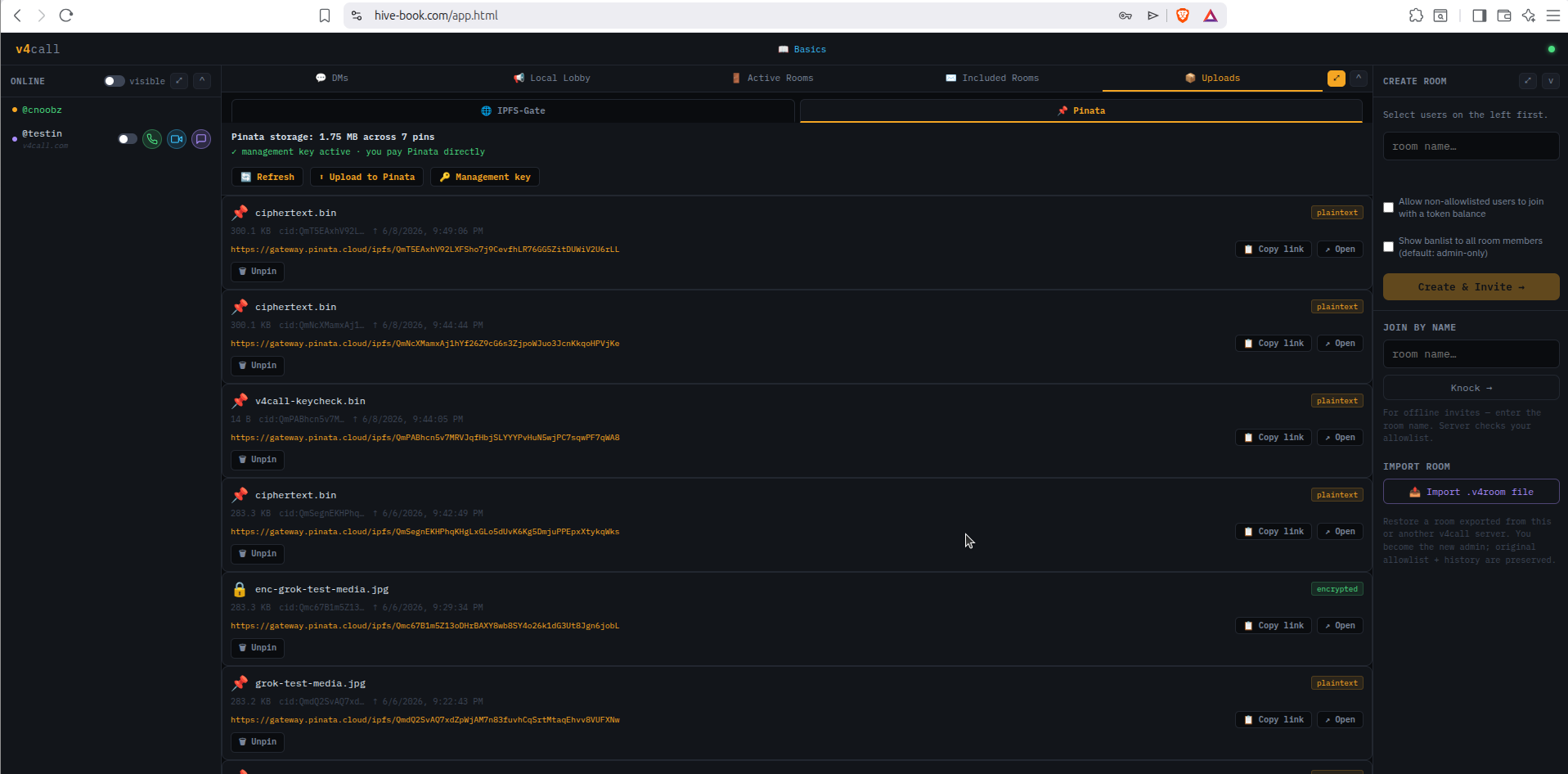
v4call has an IPFS › Pinata admin tab. To use it, create a second Pinata key with these permissions:
pinFileToIPFS, unpin, hashMetadatapinList, userPinnedDataTotal
pinFileToIPFS uploads ·
unpin is the one that must work or you bill forever on orphans ·
hashMetadata renames/tags pins ·
pinList powers the admin table (rate-limited ~30/min, page it) ·
userPinnedDataTotal is the usage/quota readout.
IPFS-Gate is sister software (MIT, very early concept stage) that lets you run your own pinning service where users pay directly on Hive. The current proof-of-concept accepts an upload and hosts it for a fixed time window in exchange for 1 TEST token.
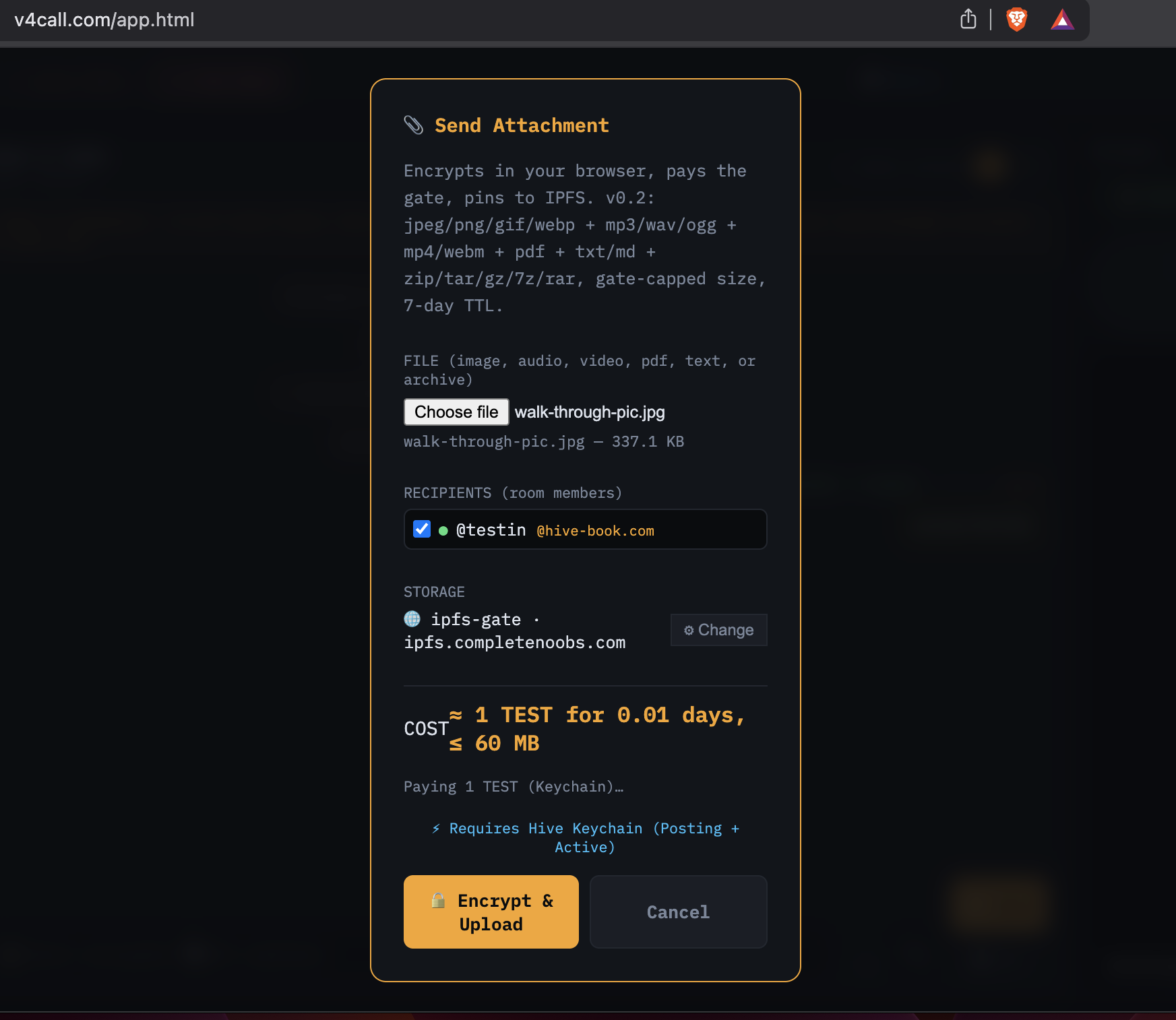
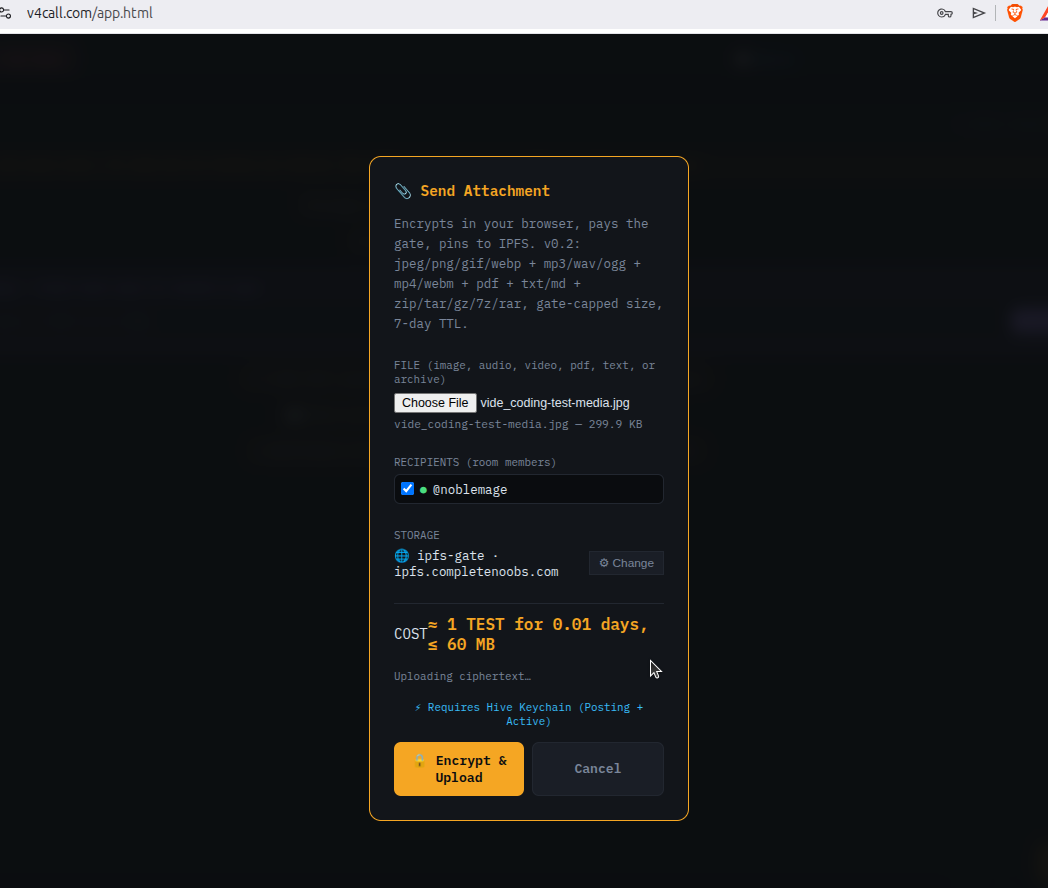
In v4call, pick a user in the room, choose IPFS-Gate as the backend, and upload. The file is encrypted in-browser to the recipient’s posting public key before it ever leaves your machine.
Pay with Keychain, and once the payment confirms the upload starts:
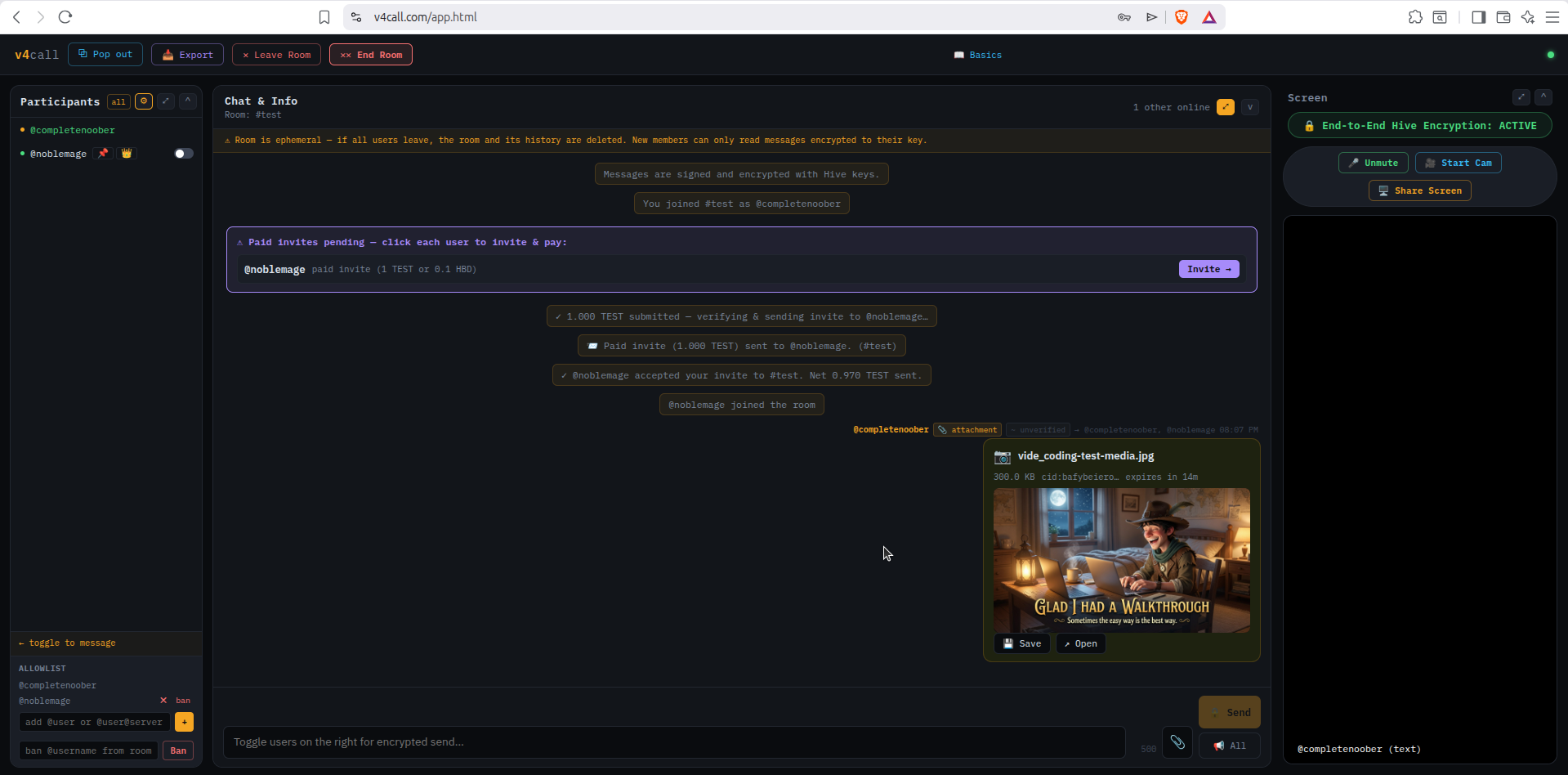
When it’s done, the file appears in the room. Pictures, audio, video, text and PDF all preview in-line; download is one click.
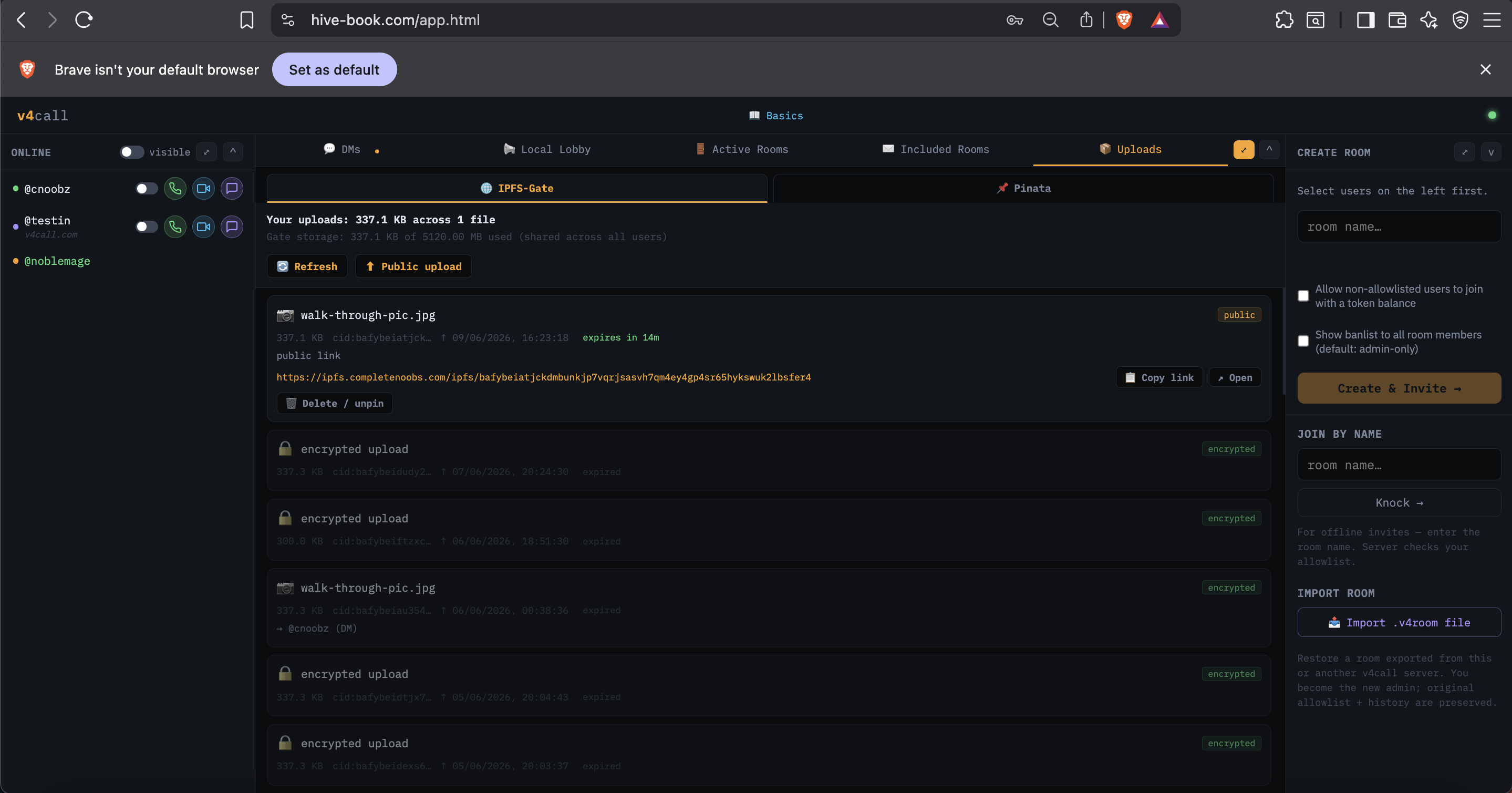
v4call also has a simple management view tied to your Hive account showing your IPFS-Gate uploads, share links, remaining TTL and an unpin early button.
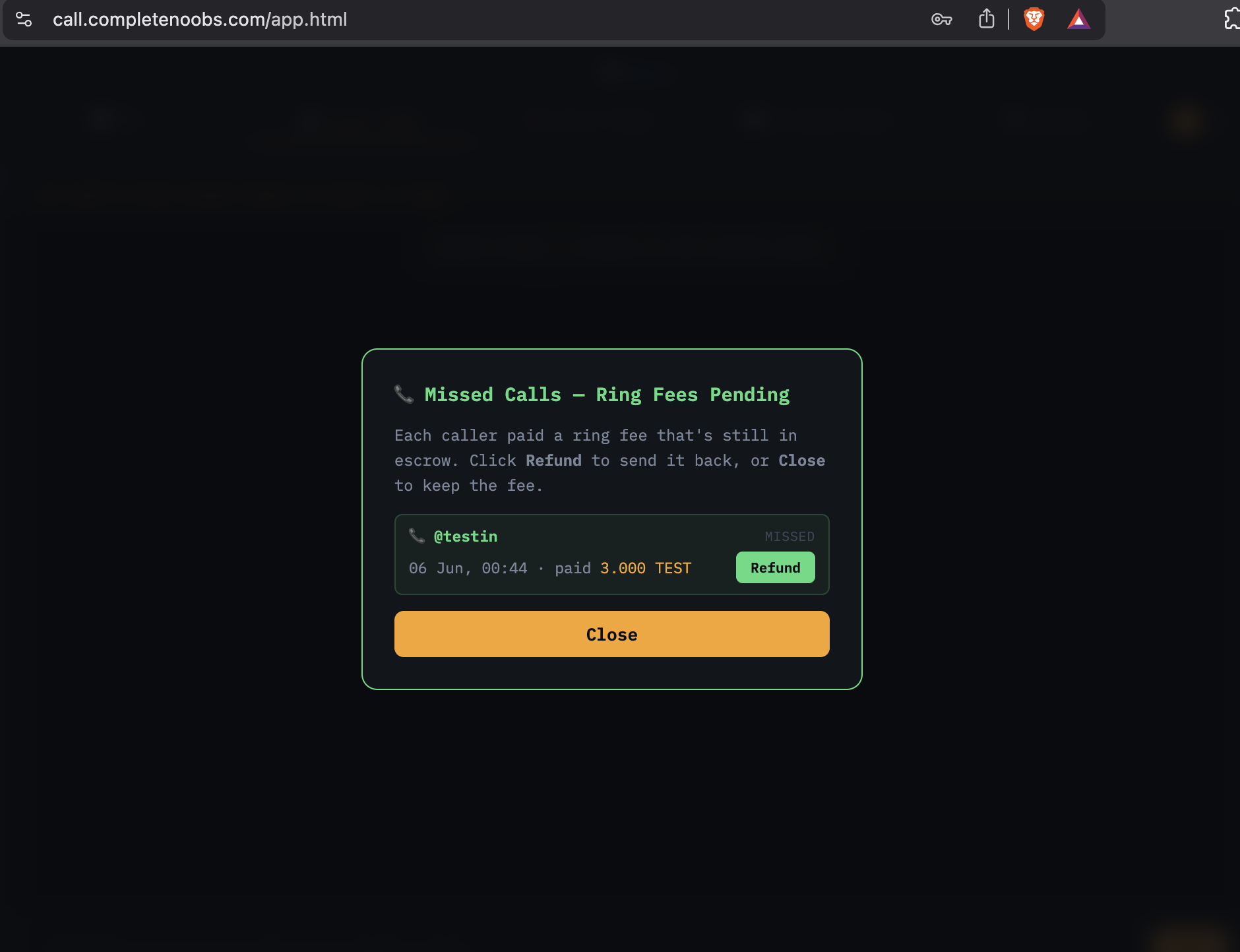
If you set a ring rate, callers pay the fee from escrow before their call rings you. If the call never connects — you were offline, or you simply didn’t answer — you see a missed-call alert with two choices: refund the caller, or keep the ring fee.
User-announce generates and posts your v4call conditions to the Hive blockchain. It is one signed Hive post that every app can read — v4call rates, paid-invite offers, Nostr keys, Bitcoin / Lightning addresses, SSH key, contact details. Tick only the sections you want; the rest emit no block at all.
The post title is always user-announce; tags are
user-announce, hive, v4call,
nostr, bitcoin. Each section is its own
versioned block, so apps read what they understand and ignore the
rest. Apps always read your most recent post with that title.
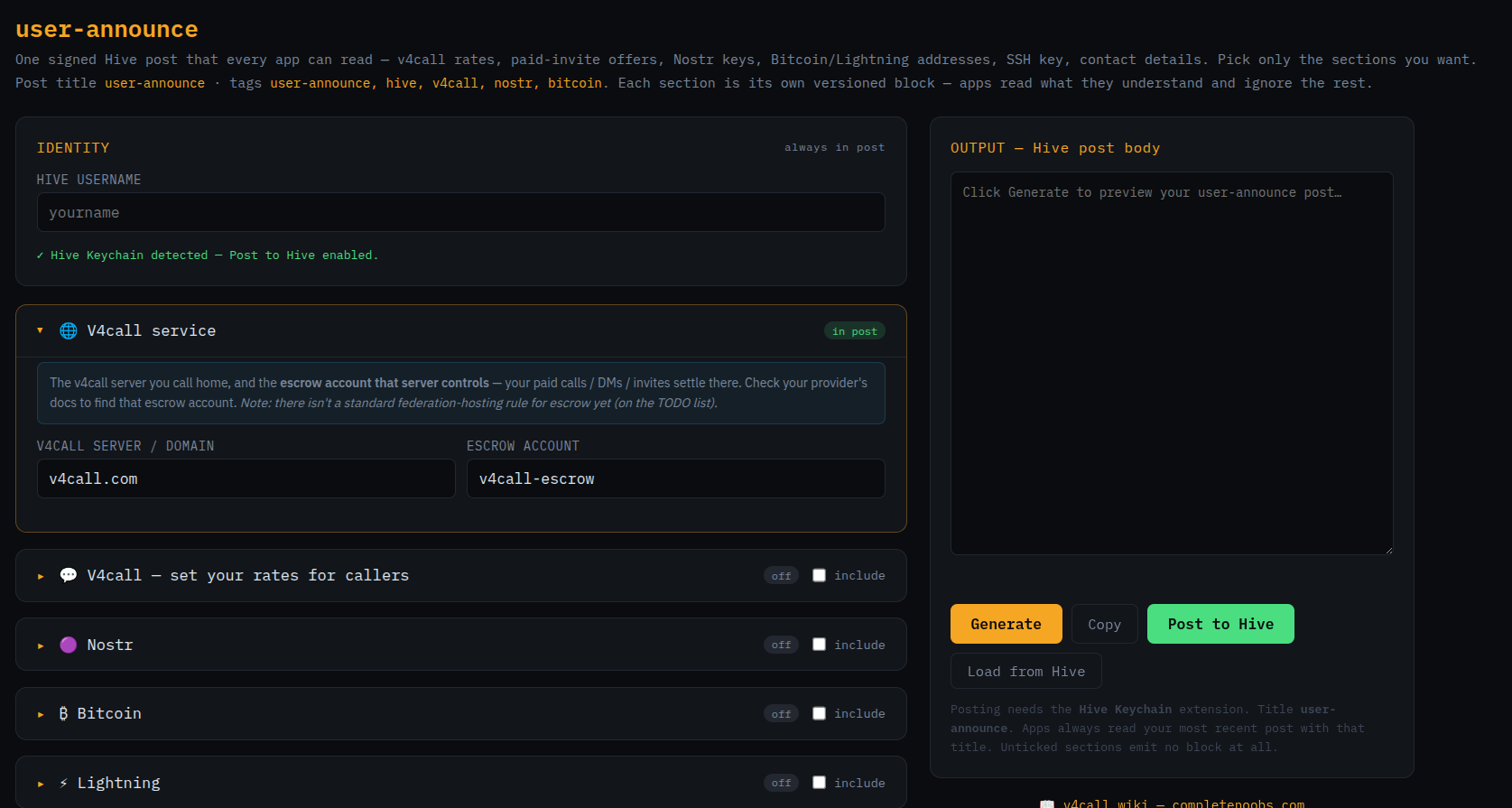
Enter your Hive username. If the Hive Keychain extension is installed, you’ll see a green “Post to Hive enabled” confirmation under the field. The username appears in every post, so this block can’t be turned off.
This block tells readers which v4call-node you call home and
which escrow account that node controls — the account where
your paid calls, DMs and invites settle. Check the node’s own
announcer post on Hive (or its /api/info endpoint) for
its current escrow account.
There isn’t yet a standard federation-hosting rule for the escrow account — that’s on the TODO list.
Expand this section and tick the include checkbox on the right of the title to add the rates block to your post.
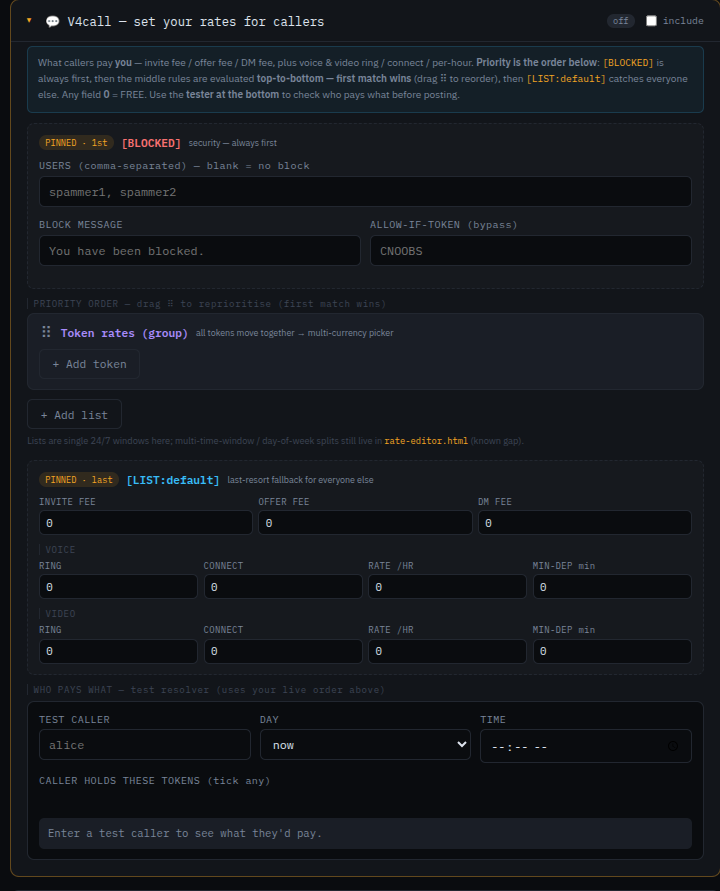
This block tells callers what they pay you for each kind of contact: invite fee, offer fee, DM fee, plus voice and video (ring / connect / per-hour rate / minimum deposit). Any field left at 0 means free.
Priority is the order on screen — the resolver walks the list top-to-bottom, and the first match wins:
⠇⠇ handle to reorder. First match wins.
A WHO PAYS WHAT tester at the bottom resolves a sample caller against your live order before you post, so you can see who would pay what without committing anything to chain.
Inside the priority list you can add token-specific pricing. Click + Add token to open a token block.
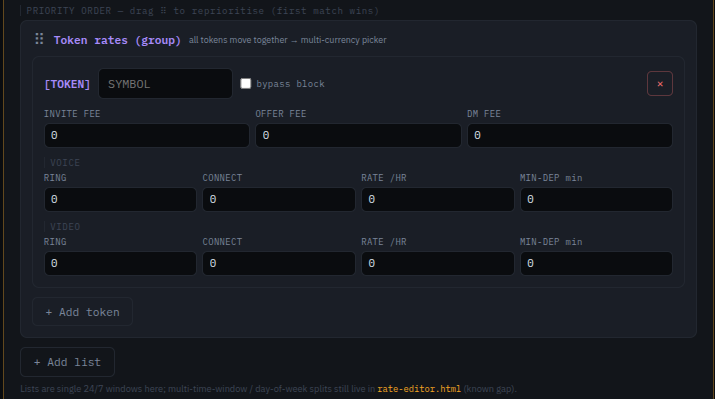
Enter the token SYMBOL. The bypass block checkbox lets holders of this token through the [BLOCKED] gate above. Then set the per-token fees (invite / offer / DM / voice / video). You can add more than one token block — one for each currency you want to accept.
Creating your own token on Hive currently costs about $5 for a basic token (no staking) and $40–50 for a stake-enabled one. See hive-engine.com for the current price.
Custom lists let you carve out a group of users that get different rates from everyone else — family, friends, work contacts, paying subscribers, etc. Click + Add list.
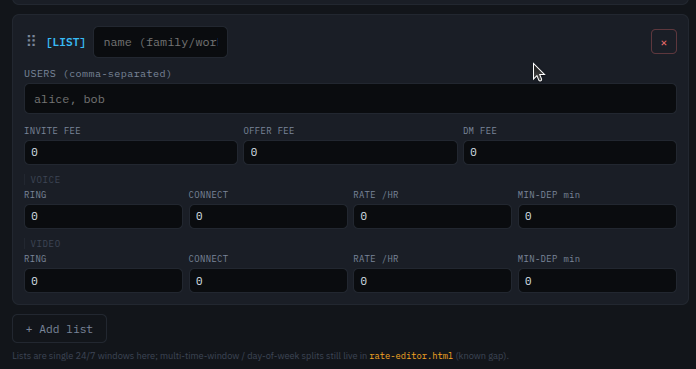
Give the list a name (e.g. family, work),
enter the usernames comma-separated, and fill in the fee schedule.
Lists higher in the priority order match first. You can create as
many lists as you like.
Lists here are single 24/7 windows. Multi-time-window and
day-of-week splits were a rate-editor.html feature that
hasn’t been ported to user-announce.html yet
(known gap, on the roadmap) — rate-editor.html
itself is outdated and not part of this client bundle.
The right-hand column — OUTPUT — Hive post body — shows the post that will be written to Hive. Press Generate to preview, Copy to grab the text, or Post to Hive to sign and publish via Hive Keychain. Use Load from Hive to pull your last announce back in for editing.
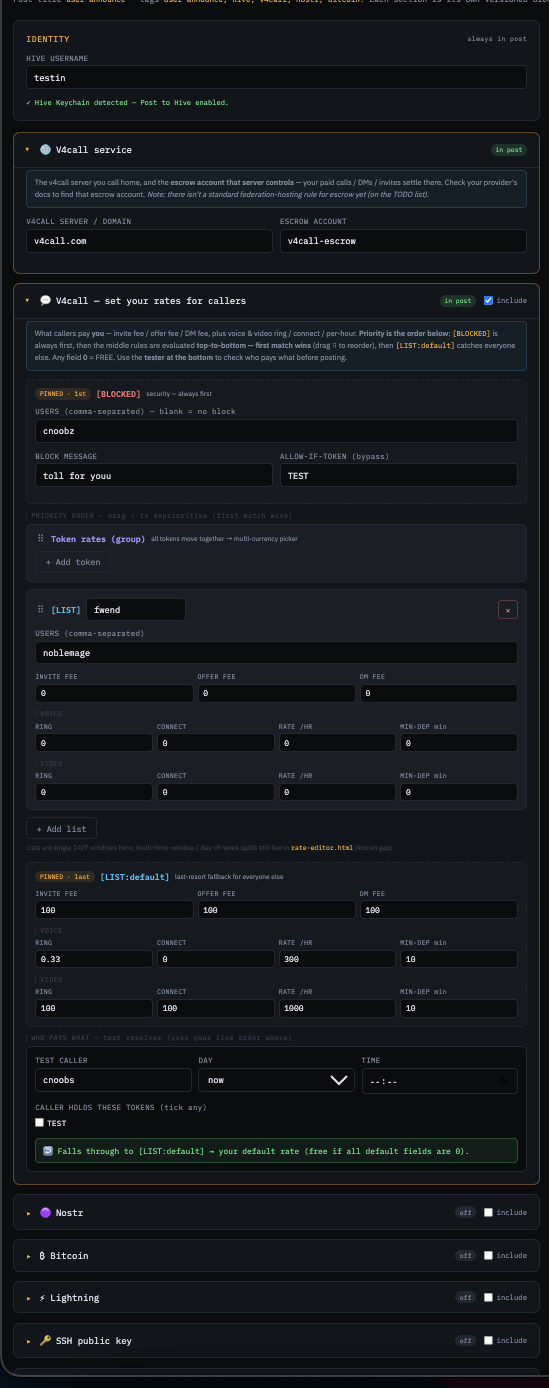
Other sections on the same page — Nostr, Bitcoin, Lightning, SSH public key — work the same way: tick include, fill in the fields, and they join the post. Leave them off and they emit nothing.
Federation is optional. Turn it on and users on your node can see,
call and invite users on the other federated nodes you trust. The
same Hive identity works everywhere — @alice@node.v4call.com
and @alice@hive-book.com are the same person on Hive.
Federation runs over a direct server-to-server WebSocket link — the primary, always-on transport. It carries everything: presence, DMs, calls, rooms and payments.
Nostr runs alongside it as an optional layer. Each node publishes to a small set of Nostr relays for two jobs: fast peer discovery (finding other nodes in seconds instead of waiting on a periodic blockchain scan) and cross-server presence (seeing who’s online elsewhere). As of the latest build it can also act as a fallback transport for DMs and file attachments when the direct WebSocket link is down or disabled — so a free or paid DM to someone on another node can still get through over the relays. It’s off by default and entirely optional; calls and rooms always use the WebSocket link.
Each v4call-node may take a small percentage of escrow transactions as a platform fee. The fee is set by that node’s operator and varies per node.
| Example node | Platform fee |
|---|---|
node.v4call.com | set via DEFAULT_PLATFORM_FEE |
The canonical fee for a node is in its announcer post on the Hive
blockchain, or its live /api/info endpoint. Self-host
operators: set yours via the DEFAULT_PLATFORM_FEE
environment variable in v4call-node’s .env.
SWAP.BTC can in principle be used
to pay rates. At the moment the minimum increment hasn’t been
fine-tuned, so the practical minimum is around
0.001 SWAP.BTC. Smaller increments are believed possible
but not yet wired up.
v4call started as one project; it has since been decoupled into focused pieces (see Run your own), plus two more that grew alongside it because they made the rest of the stack possible. All are MIT licensed.
A Hive-payment-gated IPFS pinning service. Operators run a node; users pay on-chain for upload + TTL. End-to-end encryption happens in the client (v4call) — the gate never sees plaintext.
Status: very early concept stage. First production use case is v4call attachments. Roadmap includes configurable TTLs, multiple payment tokens, per-operator quotas and richer admin tooling.
A Hive → Nostr relay-whitelist bridge. nGate scans Hive for server announces, verifies the operator’s cryptographic proof, applies economic gates (e.g. “escrow account holds at least 300 HP staked and/or delegated”), and updates the Nostr relay’s allow-list on a schedule.
Modes: flat (one account check) or split (escrow account + token
account, combined with AND/OR). Miss-counter grace period before
eviction; dry-run is the default. Sidecar to
nostr-rs-relay / strfry.
Both projects exist because v4call needs them: IPFS-Gate gives users a pay-to-pin storage option that doesn’t depend on a single SaaS; nGate makes it possible to know which federation peers are economically committed before trusting them.
v4call is now three independent pieces. This page is
v4call-app — just the client screens, no server
process, no money key. It connects to whichever
v4call-node you point it at (this copy defaults to
node.v4call.com).
Static HTML/CSS/JS, no build step, no server process. Clone the
repo and serve the folder with any static web host. The full
step-by-step for a fresh Alpine Linux box is in this repo’s
walkthrough.wiki.
git clone https://github.com/CompleteNoobs/v4call-app cd v4call-app # serve this folder with any static file server # (nginx, Caddy, GitHub Pages, ...) — see walkthrough.wiki
The actual server: login routing, presence, federation, chat,
and (for now) the escrow money engine. Deploy walkthrough:
github.com/CompleteNoobs/v4call-node
(see walkthrough.wiki in that repo).
CORS_ALLOWED_ORIGINS
explicitly lists this client’s origin (e.g.
https://v4call.com). See this repo’s
walkthrough.wiki for the full walkthrough, including how
to verify CORS is wired correctly. Hosting both under the same origin
(e.g. the client under a node’s /app/ path) sidesteps
CORS entirely.
Point this client at a different node any time from the login
screen’s v4call node field (defaults to
node.v4call.com), or seed it ahead of time via
select.html’s node field — both
write the same localStorage['v4call:node'] key that
nodeBase() reads.
Trading pair for the test token used in demos: hive-engine.com/trade/TEST.
v4call-app is a bundle of standalone HTML pages — the client (desktop + mobile), a layout/node picker, and the operator tool pages used to run a node. Every page below lives in this same folder; open any of them directly.
The full multi-panel layout — log in, calls, DMs, rooms, uploads. Recommended.
ClientSingle-column layout with a bottom-tab nav, for phones.
PickerAuto-detects desktop vs. mobile, and lets you set which v4call-node this client talks to.
DocsA shorter onboarding page with a direct link to the rate editor.
IdentityOne signed Hive post for your v4call rates, Nostr keys, Bitcoin/Lightning address, SSH key.
KeysBrowser-only Nostr keypair generator. Keys never leave your device.
KeysBrowser-only Bitcoin keypair generator.
UtilityMove a secret (posting key, nsec) between two of your own devices without sending it over a network.
Generates the signed v4call-server.json domain-proof file your node serves at /.well-known/.
Publishes the v4call-server Hive post that lets other nodes discover yours.
Discover, approve and revoke federation peers for your node. Needs your node's admin key.
The operator pages sign with your Hive key locally (via Keychain or paste) — the key never reaches any v4call-node.